Quick Start Guide

Welcome to your Salam Ring

أهلاً بك في خاتم السلام

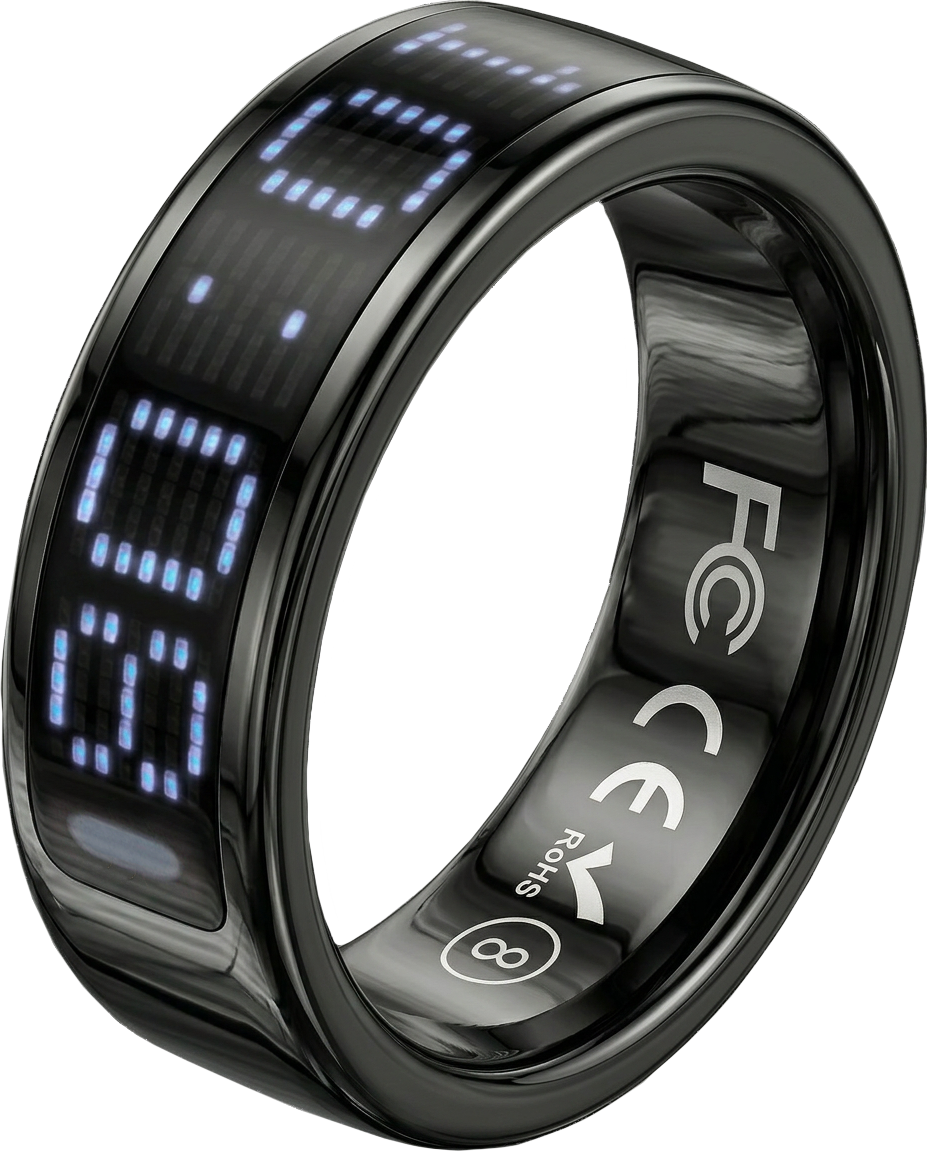
Five gentle steps to set up your iTasbeeh Salam Ring (SQ666) and begin your journey of mindful dhikr — designed for inner peace, worn for the everyday.

iTasbeeh Salam Ring SQ666
01 Unbox

Open the box, meet your companion.

Take a moment to lay out everything inside your Salam Ring gift box. Each item plays a role in your daily ritual — from the velvet-lined charging case to the three cards and printed user manual.

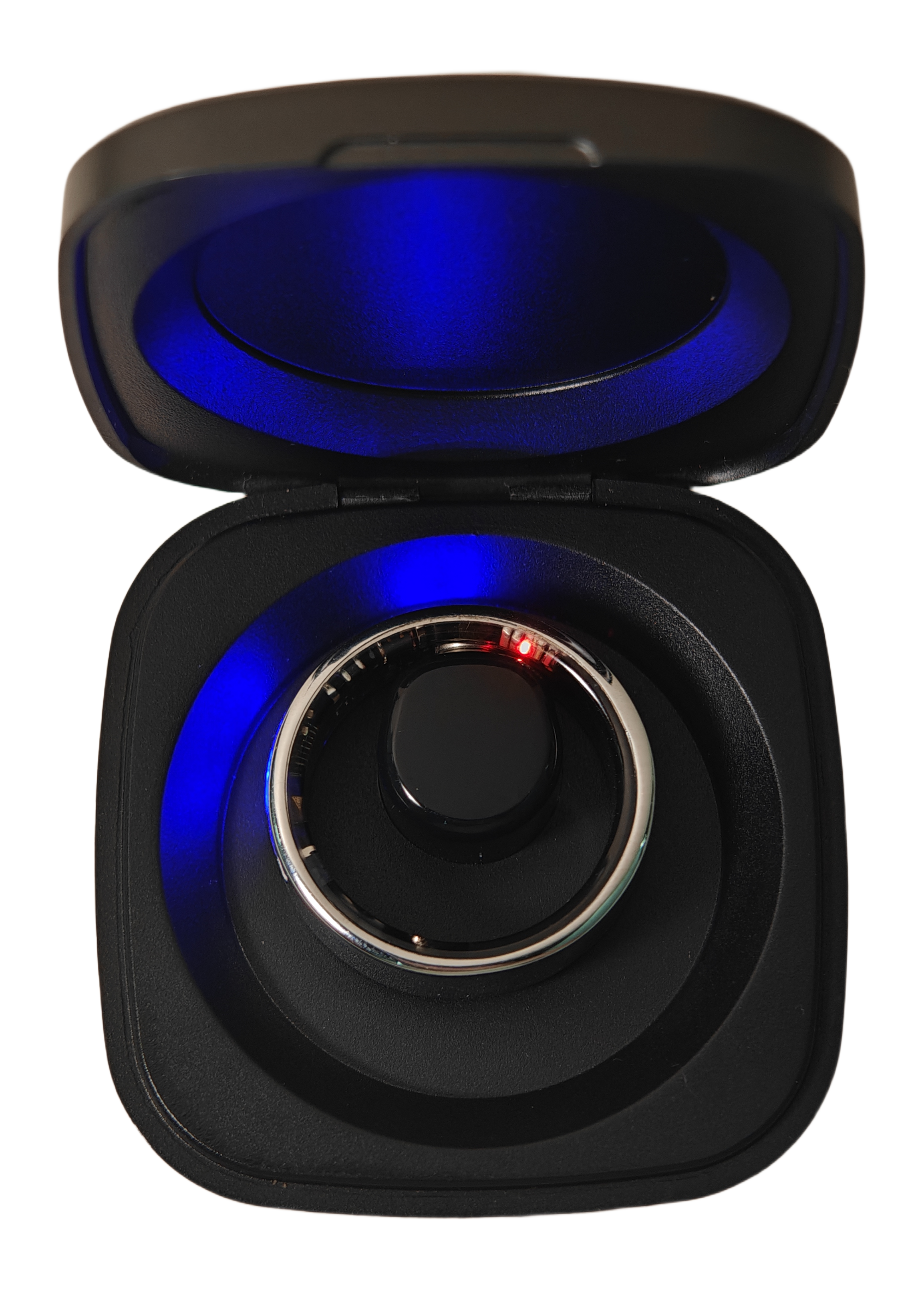
Remove the clear protective film A transparent film covers the ring's magnetic charging contacts. The first time you open the case, take out the ring, peel off the film, then place the ring back in the charging case to activate it. For the smoothest setup, fully charge it before opening the app.
  • 1 × Salam Ring Nested inside the magnetic charging case
  • 1 × Charging Case Velvet interior · USB-C input · 8–10 ring recharges
  • 1 × USB-C Cable For charging the case
  • 3 Cards + User Manual Warranty Card, Thank You Card, Quick Start Card, and printed user manual
1 × Salam Ring
Obsidian Black
Charging Case
USB-C · 8–10×
USB-C Cable
1 meter
Cards + Manual
Warranty · Thanks · Quick Start
02 Charge

Place the ring, let it sip energy.

After removing the protective film, place the ring back in the charging case to activate it. For best results, let it fully charge for about 60–90 minutes before connecting in the app.

  • Plug in the case first Use the included USB-C cable. The case stores enough energy for 8–10 full ring recharges.
  • First activation charge: 60–90 min A solid LED means fully charged. A full first charge makes pairing smoother and gives 3–5 days of use.
  • LED indicator Pulsing purple = charging · Solid purple = full · Off = ready to wear
Ring charging in the magnetic case
03 Download App

Get the iTasbeeh app.

Download the iTasbeeh app directly from the buttons below. It tracks dhikr, syncs prayer times, gives Qibla direction, and reveals your Salam Balance™ wellness score.

iTasbeeh app dashboard screenshot
04 Pair Ring

Connect your ring, wake the magic.

Pairing takes less than a minute after the ring is charged and powered on. The Salam Ring uses Bluetooth Low Energy for an efficient, secure link to your phone.

  • Power on & enable Bluetooth After charging, press and hold the ring for 3 seconds to power it on. Then enable Bluetooth and grant the app permission.
  • Open the app & sign in Create your iTasbeeh account with email, Apple ID, or Google. It only takes seconds.
  • Tap "Add device" Choose "Salam Ring SQ666". Wear the ring — the app will detect it automatically.
  • Set location & prayer method Allow location access for precise prayer times and Qibla compass.
Pairing…
Salam Ring SQ666
Searching…
Connect
05 Start Dhikr

A single touch, a deeper presence.

Wear the ring on any finger — most prefer the index. To count, gently tap the side of the ring with your thumb. A soft haptic confirms each tap. No phone needed.

  • Tap to count Touch your thumb to the ring's side — one tap = one dhikr.
  • Milestone vibrations Gentle haptic at 33 · 99 · 100 — set custom goals in the app.
  • Sync to app Open the app to see your daily count, streaks, and Salam Balance™ insights.
  • Discover Salam Balance™ AI insights connect your dhikr with sleep, stress & heart rate.
33
Today's Dhikr
سُبْحَانَ ٱللَّٰه
Tap the ring with your thumb
See it in action

A quick hands-on walkthrough.

A real-life demo of how to wear the ring, charge it, and count your daily dhikr in one continuous flow.

Pro Tips

Live your best Salam life.

Wear it 24/7

IP68-rated — safe for wudu, showers, swimming, and i'tikaf. Just remove for saunas.

Sizing matters

A snug fit ensures accurate sensors. If unsure, request our free sizing kit.

Works offline

Once set up, prayer times, Qibla, and dhikr counting work without internet.

2-week travel mode

Ring + case = ~14 days of battery. Perfect for Umrah, Hajj, and business trips.

Frequently asked

Quick answers.

Place the ring in its charging case and ensure the case is connected via USB-C. Wait 5 minutes — the LED on the case should pulse purple. If nothing happens, try a different USB-C cable or power source. Still stuck? Reach out via support below.
Open the iTasbeeh app → Settings → My Device → Reset Ring. Or place the ring on the case and hold the case button for 10 seconds until the LED flashes white three times.
Most users prefer the index or middle finger of their non-dominant hand for easy thumb-tap counting. The ring is symmetric — wear it however feels natural. For accurate biometric readings, fit should be snug but not tight.
Dhikr counting and milestone haptics work standalone. To sync your counts, view prayer times, access Qibla, and unlock Salam Balance™ AI insights, you'll want to pair with the app.
Yes — IP68 rated. Safe for wudu, hand-washing, showers, and swimming in fresh or salt water down to 50 meters. Avoid saunas and hot tubs (above 40°C / 104°F).
3–5 days of typical use on a single charge. With the included charging case, you get 8–10 full ring recharges — roughly 2 weeks off-grid.
Need a hand?

We're here, every step of the way.

Our concierge team responds within one business day. Whether it's a setup question, sizing concern, or just want to share your first dhikr milestone — we'd love to hear from you.